DScope - Digital Oscilloscope
Purpose
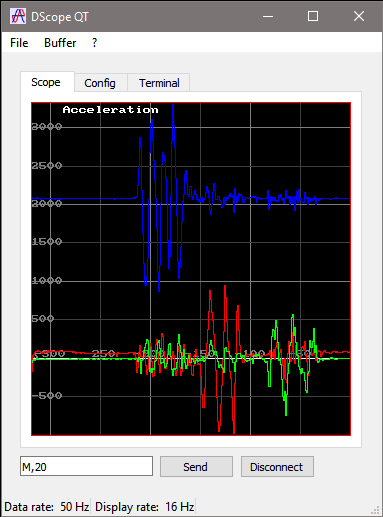
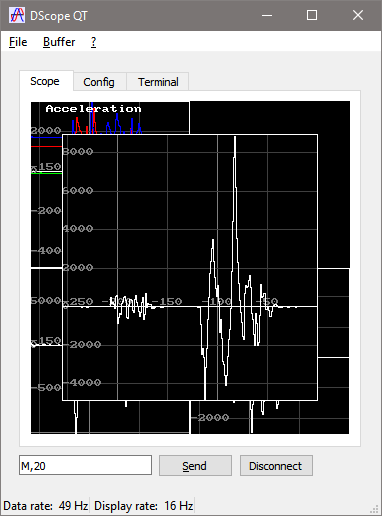
DScope is a digital oscilloscope for text or binary data streaming over TCP, serial ports and Bluetooth RFCOMM. It offers flexible rendering and highly configurable binary streaming format or text streams. It consists of a main window with a variable number of scopes displaying the incoming signal traces.Signal data sources include TCP sources, serial ports (USB or hardware serial) and Bluetooth RFCOMM.
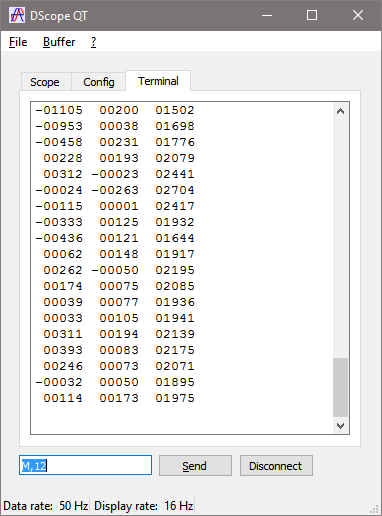
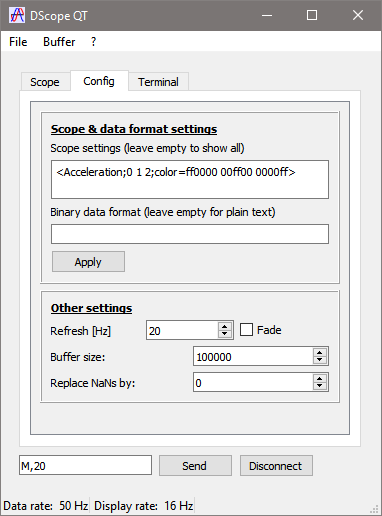
Incoming data format include plain text format and binary streaming format. The binary streaming format is fully configurable, including header, number of channels, and channel data width.
The aquired data can be exported to a file.
The number of scopes, as well as the number of traces per scope is fully configurable.
A typical usage example is the real-time display of data coming from sensors interfaced over a USB, TCP, or Bluetooth connection. such as this USB miniature acceleration sensor.
Key features
- Serial (USB and hardware serial), Bluetooth RFCOMM and TCP
connection
- Text and binary data format
- Real-time indication of incoming data speed
- Fully configurable scopes, with multiple traces per scope,
configurable X/Y scale, colors, etc.
- Configurable display speed
- Zoom (time and amplitude) and autoscale
- Export signal data to file
Portability
DScope has been tested on Windows (note that as of Qt 5.8 Bluetooth is not supported on Windows), Linux and Android. The Android version is available from Google Play.License
GPL V.2History
| Version |
Release
date |
Changes |
| 1.12 |
04.04.2020 |
Added input data scaling function. Fixed
Bluetooth disconnection/reconnection on Windows. Windows binary compiled with MSVC2017 to support connection to Bluetooth device by MAC address, instead of com port. |
| 1.11 |
16.01.2020 |
Added support for binary binary frame format
without header (e.g. ";c" to indicate no header, one 8-bit
channel, no checksum). |
| 1.10 |
02.04.2017 |
Added Bluetooth RFCOMM; added
terminal view; revamped the UI for mobile devices. |
| 1.08 |
26.01.2017 |
Converted to Qt5 and fixed a
bug in parsing text streams. |
| 1.07 |
18.09.2011 |
Parse floats and NaN when
receiving text data, user-specified buffer size |
| 1.06 |
25.10.2009 |
Bug fix in frameparser, moved
to latest qextserialport version, compiles/runs under linux
|
| 1.05 |
21.09.2009 |
New frameparser including
checksum, and custom bit-width channels |
| 1.04 |
23.08.2009 |
Signal data can be exported
to a file. Linux compilation fix. |
| 1.03 |
08.08.2009 |
Initial release |
Download
| Version |
Source |
Windows
binary |
Android binary |
| 1.12 |
dscopeqt_1.12-src | dscopeqt_1.12-win | dscopeqt_1.12-android.apk |
| 1.11 |
dscopeqt_1.11-src |
dscopeqt_1.11-win |
|
| 1.10 |
dscopeqt_1.10-src | dscopeqt_1.10-win | |
| 1.08 |
dscopeqt_1.08-src | dscopeqt_1.08-win | |
| 1.07 |
dscopeqt_1.07-src | dscopeqt_1.07-win | |
| 1.06 |
dscopeqt_1.06-src | dscopeqt_1.06-win | |
| 1.05 |
dscopeqt_1.05-src |
dscopeqt_1.05-win |
|
| 1.04 |
dscopeqt_1.04-src |
dscopeqt_1.04-win |
|
| 1.03 |
dscopeqt_1.03-src | dscopeqt_1.03-win |
This project is hosted on github. Pull the latest code directly from the git repo.